Part II: Configuring a News Account in Outlook Express


Operating System: Win95
Application: Outlook Express


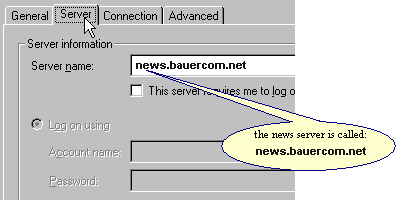
  1. Click on the Server tab.
    Click on the Server tab. The news server is called news.teleport.com
  2. Click on the Connection tab.

Click on the Connection Tab. Select 'connect using my phone lines.'

Click OK. You're done!

Click here to return to the Outlook Express page