Setting Up Outlook Express to Filter for
Multiple Accounts Windows 95
The following instructions will
help you setup Microsoft Outlook Express to filter your email into two different inboxes
if you have it setup for separate email accounts. You can also use filters to
separate mail coming from certain addresses into separate folders. Handy if you are on
a lot of
mailing lists.
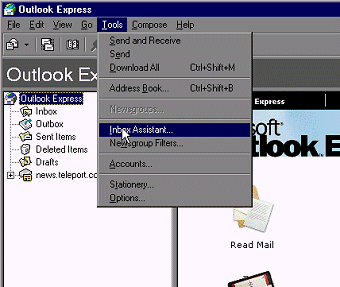
- Click on Tools and Inbox Assistant.
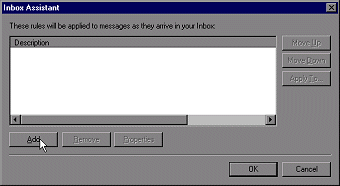
- Click on Add.
[Page 2]
|