Creating a New Mailbox in Outlook Express


Operating System: Win95
Application: Outlook Express


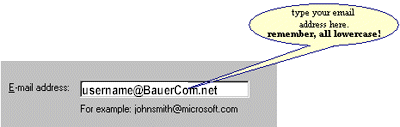
  1. Enter your email address.
    type your email address. It should look something like: username@teleport.com
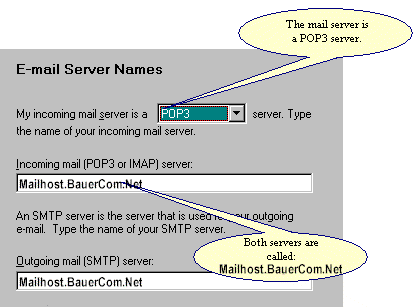
  2. The mail servers
    the mail server is a POP3 mailserver. For both incoming and outgoing mail, type: mail.teleport.com
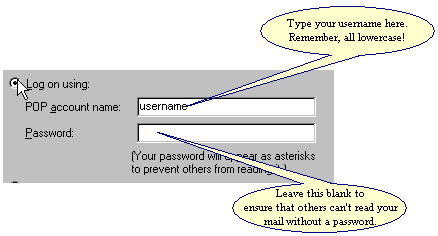
  3. Type in your username.

make sure that you're logging on using your lowercase username. this is the first half of your email address.

Back to Page 1 | On to Page 3